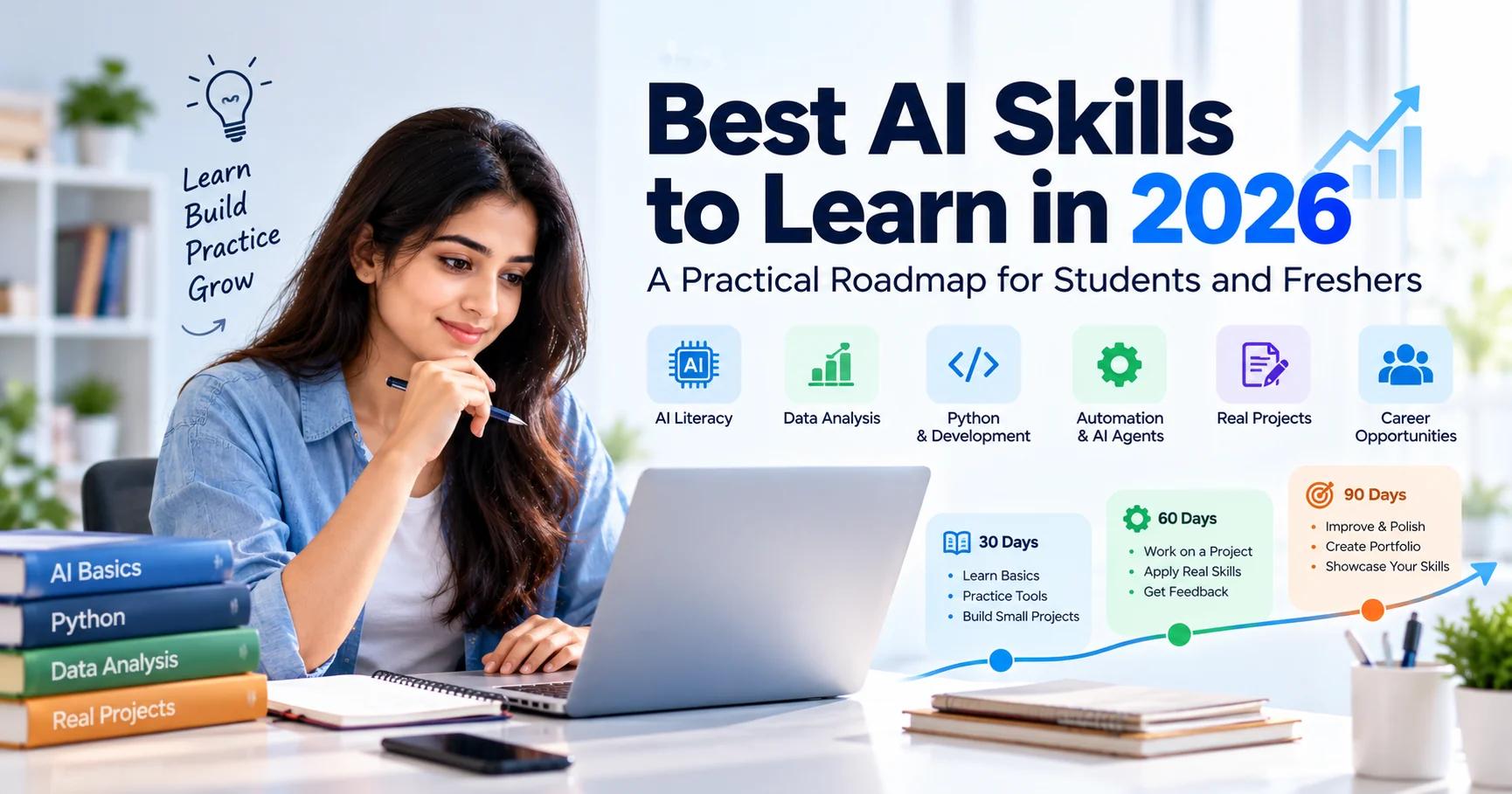
Best AI Skills to Learn in 2026: A Practical Roadmap for Students and Freshers
Chintan Poriya
Founder, AdvizeU
Published: October 14, 2026
Table of Contents
You do not need to learn every new AI tool to build a career in artificial intelligence. What matters is knowing how to use the right tools, solve real problems, and show employers what you can do.
That can be difficult when you are starting out. One course teaches Python, another focuses on prompt engineering, and another promises to explain AI agents in a few hours. It is easy to spend months watching tutorials without building anything you can actually demonstrate.
A better approach is to choose a career direction, learn the skills that support it, and put that knowledge into practice.
This guide explains which AI skills are worth exploring in 2026, how to choose a learning path, which projects you can build as a beginner, and how to turn your learning into a portfolio.
Why Learning AI Skills Matters in 2026
AI tools are being used for a growing range of tasks, including research, writing, software development, data analysis, and business automation. Their usefulness depends on the task, the quality of the information available, and how carefully people check the results.
For students and freshers, the opportunity is not simply to learn how to operate an AI application. It is to understand how AI can help solve a problem in a particular field.
For example, a marketing student might use AI to organize customer feedback, while a software developer might build an application that answers questions about technical documents. Both use AI, but the skills and tools required are completely different.
Before Choosing Any Course, Ask Yourself:
“What kind of problem do I actually want to learn to solve?”
Your answer will help you avoid wasting months chasing random tools that do not support your specific career goals.
1. AI Literacy: Learn to Use AI Intelligently
AI literacy is a useful starting point whether you plan to become a developer, analyst, marketer, or business professional. It means understanding what AI systems can do, where they struggle, and how to decide whether their output is trustworthy.
Start by learning how to:
- Give an AI tool clear instructions and relevant context.
- Check factual claims against reliable, primary sources.
- Identify incomplete, misleading, or unsupported answers.
- Protect personal information and confidential documents.
- Review generated content thoroughly before using it professionally.
- Recognize when a critical task requires human judgment.
Consider a simple example: You ask an AI assistant to help troubleshoot a programming error. It suggests changing a package version, but that version is incompatible with your existing project. Blindly following the suggestion could break your entire repository. Checking the official documentation and testing the change is a vastly better approach.
🧪 Beginner Exercise
Choose a topic you understand well. Ask an AI tool to explain it, and check three important claims against trustworthy sources. Note any factual mistakes, hallucinations, or missing nuances.
2. Prompting and Problem-Solving
Prompting is the process of communicating a task to an AI system. You do not need to memorize hundreds of rigid prompt templates. Instead, learn to explain what you need and what a successful result should look like.
What is the situation?
What should it achieve?
What data to use?
What to preserve/avoid?
How to format response?
For example, imagine you have a spreadsheet containing monthly sales figures:
“Analyze my sales data.”
“Analyze the supplied monthly sales data. Identify the largest increases and decreases, calculate percentage changes, and explain any limitations. Do not invent missing values. Present the results in a table and show calculations.”
The second request gives the AI a clearer objective and makes its output easier to evaluate. As you gain experience, combine prompting with structured outputs, few-shot examples, automated testing, and independent verification.
3. Data Analysis: Turn Information Into Useful Decisions
Data analysis is a practical skill for people interested in technology, business, finance, marketing, or operations. Companies collect large amounts of information, but raw numbers do not automatically explain what is happening. Someone must organize the data, identify patterns, and communicate what the results mean.
If you are new to data analysis, learn these skills in sequential order:
- Spreadsheet fundamentals: Formulas, sorting, filtering, and pivot tables.
- Data cleaning & statistics: Handling nulls, outliers, and basic descriptive metrics.
- SQL: Retrieving, filtering, and joining information from relational databases.
- Data visualization: Designing clean charts and decision dashboards.
- Python: Processing larger datasets using pandas and numpy.
- AI-assisted analysis: Using LLMs to inspect trends with appropriate validation.
Sales Analysis & Performance Dashboard
Build a sales dashboard using a publicly available Kaggle or government dataset. Answer which products generated the highest revenue, how monthly sales changed, and which product categories saw declines.
Include: Raw dataset source, transformation scripts, SQL queries, interactive visual charts, and a one-page summary of business conclusions.
4. Python and AI Development
If you want to build AI applications, Python is the primary language to consider. It is widely used for data processing, automation, machine learning, and connecting applications to AI services. You do not need to learn every machine learning algorithm before building your first application. Focus on the foundations that help you create working software:
Learn Python Fundamentals
Variables, functions, loops, lists, dictionaries, modules, exceptions, and file handling. Practice writing small command-line utilities.
Work with APIs and Databases
Understand HTTP methods, JSON data structures, and how applications query remote REST services and store data in SQLite or PostgreSQL.
Build a Backend API
Explore FastAPI or Flask. Learn to create endpoints, validate inputs with Pydantic, handle errors, and return structured JSON responses.
Integrate an AI Model
Connect your application to an LLM provider via API. Learn to handle timeouts, rate limits, token usage, and structured response parsing.
Build Retrieval-Augmented Generation (RAG)
Search documents, retrieve relevant passages, and provide those exact chunks as grounded context for the AI model.
Test and Deploy
Use Git version control, write automated pytest suites, manage environment variables, and deploy with Docker containers.
5. Workflow Automation and AI Agents
Many workplaces involve repetitive activities: classifying emails, extracting information from PDF forms, preparing weekly reports, and updating database records. Workflow automation connects these activities into a reliable, repeatable process.
For example, consider an automated customer inquiry pipeline:
- Receive an incoming customer inquiry or support ticket.
- Classify the category, urgency, and customer intent using an LLM.
- Retrieve relevant policy or FAQ documentation.
- Draft an accurate response incorporating retrieved context.
- Flag sensitive, refund, or low-confidence tickets for manual escalation.
- Dispatch the draft to a human representative for review and approval.
Workflow platforms such as n8n or Make connect applications with minimal code, while Python developers can build custom automations using APIs. AI agents extend this by allowing a system to select tools dynamically toward a defined goal. However, more autonomy is not always better: a deterministic workflow with predictable checkpoints is often much easier to test, secure, and maintain.
6. AI Evaluation: Learn How to Check the Result
One of the most overlooked AI skills is knowing how to determine whether a system actually works. An answer can sound remarkably professional and still be factually wrong. Learning to test AI applications makes your engineering reliable.
Critical Evaluation Checklist:
- Is the model's answer factually verified against source data?
- Does the response directly answer the user's question without fluff?
- Is the retrieved context genuinely relevant to the query?
- How does the system respond when requested information is absent?
- How frequently does a human reviewer need to edit or reject the output?
- What is the compute latency and API cost per successful task?
- Are confidential records or private customer details exposed?
7. Communication and Critical Thinking Still Matter
Technical knowledge alone does not guarantee a successful project. You also need to understand requirements, explain decisions to stakeholders, collaborate across disciplines, and recognize when an AI-generated output should not be trusted.
🗣️ Communication
Explain complex technical workflows clearly to non-technical business partners.
🔍 Critical Thinking
Question initial assumptions and separate demonstrable evidence from speculation.
🧩 Problem-Solving
Break large, ambiguous business problems down into smaller, testable components.
🤝 Collaboration
Solicit feedback from end users and iterate quickly when business requirements change.
🔄 Adaptability
Master new frameworks and SDKs without abandoning solid engineering fundamentals.
⚖️ Responsible Judgment
Respect data privacy, copyright constraints, security compliance, and ethical bounds.
8. Choose the Right AI Career Path
You do not need every skill in this guide. Your learning plan should reflect the exact kind of work you want to pursue:
Path A: AI & Software Development
Learn Python, REST APIs, databases, unit testing, model integration, RAG, and container deployment.
Project: A document Q&A assistant with source citations, Dockerfile, and pytest suite.
Path B: AI & Data Analytics
Learn advanced spreadsheets, statistics, SQL querying, Python pandas, and dashboard design.
Project: An interactive business dashboard analyzing public datasets with clear trend interpretation.
Path C: AI & Digital Marketing
Learn audience segmentation, search intent research, content planning, and fact-checking workflows.
Project: An automated research pipeline that aggregates keywords, drafts outlines, and checks facts.
Path D: AI & Business Operations
Learn business process mapping, form parsing, workflow platforms (n8n), and human review checkpoints.
Project: A business workflow classifying customer emails and generating structured CRM drafts.
Path E: AI for Students & General Professionals
Learn rigorous research methods, document synthesis, data organization, and ethical verification.
Project: An in-depth research report with primary citations, verified data tables, and executive presentation.
9. A Realistic 90-Day AI Learning Plan
A clear schedule can help you move from passively watching tutorials to actively building software.
Learn the Basics
Choose your career path and study core fundamentals. Complete daily coding or data exercises. Practice evaluating AI outputs rigorously.
Build Something Useful
Pick a real-world problem. Develop a functioning application or analysis. Implement Git version control, basic tests, and detailed documentation.
Refine & Present
Request peer code reviews. Fix bugs, write clear README documentation, record a demo walkthrough, and outline technical trade-offs.
10. How to Turn Your AI Skills Into Portfolio Evidence
When applying for jobs or freelance projects, do not rely only on a list of keywords. Show what you have actually built and explain what you learned:
Every Portfolio Case Study Should Detail:
- ✓ The exact real-world problem you wanted to solve.
- ✓ Who the project is designed to help.
- ✓ The technologies, models, and tools selected (and why).
- ✓ Your specific individual engineering contribution.
- ✓ How the system was tested, evaluated, and verified.
- ✓ Known limitations and what you would optimize next.
Employers care far less about how many tools you have experimented with than whether you can use them to solve the concrete problems they face today.
Conclusion: Meaningful Work Over Trend Chasing
The best AI skills to learn in 2026 are the ones that help you do meaningful work, not simply collect certificates or follow ephemeral technology hype.
Start with the fundamentals, choose a focused career direction, build a practical project, and learn to check the results produced by AI systems. A focused learning plan and a portfolio of work you can explain are the most reliable steps toward your next career opportunity.
Explore AdvizeU Career Tools
Practice prompting, check your resume against modern ATS filters, and analyze job descriptions to align your technical projects with employer expectations.
Frequently Asked Questions
Which AI skill should a beginner learn first?
Start with AI literacy, problem-solving, and fact-checking. Then select technical or nontechnical skills that match your career goals.
Do I need Python to work with AI?
No. Python is useful for development, data analysis, and automation, but many professionals use AI through existing applications and workflow platforms without programming.
Are AI certifications enough to get a job?
Certifications can demonstrate structured learning, but they do not guarantee employment. Practical projects, relevant skills, communication, and interview performance also matter.
How long does it take to learn AI?
It depends on your starting point, study time, and goals. Basic AI literacy can be learned relatively quickly, while building reliable AI applications requires deeper technical knowledge and practice.
Which AI projects are suitable for freshers?
Choose projects that solve a clear problem and match your target role. Examples include a data dashboard, document assistant, workflow automation, or research-based content project.
Should I learn every new AI tool?
No. Learn the underlying concepts and choose tools that solve your problem. Specific products change, but problem-solving, testing, and verification remain useful.
Further Learning Resources
- 1.Google Machine Learning Crash Course: developers.google.com/machine-learning/crash-course
- 2.Official Python Documentation & Tutorial: docs.python.org/3/tutorial
- 3.Microsoft AI Learning Path: learn.microsoft.com/en-us/training/ai
- 4.World Economic Forum – Future of Jobs Report: weforum.org/publications/the-future-of-jobs-report-2025
Read More in Learning & Upskilling
Why Continuous Learning Is the Only Career Insurance You Need
Two engineers joined us the same month with nearly identical backgrounds. Eighteen months later, one leads our AI pipeline work and the other is doing the same tickets she started with. The gap wasn't ability. Here's what it actually was.
Read article →
How to Learn AI in 30 Days: The Exact Roadmap We Used to Onboard a Non-Technical Hire
We gave a marketing hire with zero AI experience 30 days before she touched a live campaign. Here's the exact day-by-day roadmap and what actually happened when she used it.
Read article →