Learn AI with NVIDIA DLI: What Actually Changed When We Used It on a Real Client Project
Chintan Poriya
Founder, AdvizeU
Published: March 25, 2026
Table of Contents
Defect Detection Model Inference Speed
Five days before a client deadline, our defect-detection model was running at 2.3 frames per second on their on-site server. The conveyor belt it needed to watch moved fast enough that anything under 15 fps meant defective parts would slip through untouched. We had a working model. We had a client waiting. We did not have a fast enough model.
That's the week I actually sat down and went through NVIDIA's TensorRT optimization material properly, instead of skimming it the way I usually skim documentation at 11 PM. Two days of reworking the inference pipeline quantization, batching, layer fusion and we were at 22 fps on the same hardware. The model itself hadn't changed. How it ran on the GPU had.
That's the real reason I recommend NVIDIA's Deep Learning Institute to people asking where to start with AI. Not because it's NVIDIA and NVIDIA is a big name because the stuff it teaches is the stuff that actually shows up when a client's deadline is real and your model is too slow.
Why NVIDIA Specifically
The NVIDIA AI Ecosystem Stack
Most of what people picture when they think "AI" image generation, voice assistants, self-driving perception systems is running on NVIDIA hardware underneath. We're an NVIDIA Inception member ourselves, and the honest reason that matters isn't the badge. It's that it puts you closer to the tooling before it's fully mainstream, and closer to documentation that assumes you're building something real, not a toy demo.
Beyond the GPUs, NVIDIA's ecosystem includes CUDA for low-level GPU programming, TensorRT for squeezing more speed out of trained models, NIM microservices for deployment, and DLI for actually teaching people how to use all of it. Learning through that stack means the skills transfer directly to production work, not just to passing a quiz.
What Makes DLI Different From Yet Another Course Platform
| Element | Typical Tutorial Platform | NVIDIA DLI |
|---|---|---|
| Format | Video + quiz | Hands-on labs in a live GPU environment |
| Environment | Your own local setup (or none) | Cloud GPU provided |
| Focus | Concept explanation | Building and debugging real models |
| Failure mode | You misunderstand a concept | You hit a real error and have to fix it |
| Outcome | Passive understanding | A working project you can show |
Most online AI courses are lecture, quiz, lecture, quiz. DLI hands you a cloud GPU environment and has you build something inside it. You're not watching someone else train a model you're the one tuning the hyperparameters, watching the loss curve, and figuring out why your batch size just OOM'd the GPU.
That difference matters more than it sounds. I've had junior engineers who could recite what a convolutional layer does but froze the first time they had to debug an actual CUDA memory error. DLI puts you in that situation early, in a lower-stakes environment, instead of the first time being on a client deadline.
What You Can Actually Learn There
AI and ML fundamentals.
The difference between AI, machine learning, and deep learning genuinely useful to nail down early.
Machine learning basics.
Data preprocessing, feature engineering, classification, regression, evaluation metrics, working with scikit-learn. This is the unglamorous 80% of ML work that nobody posts about on LinkedIn.
Deep learning.
Neural networks, CNNs, transfer learning, training and optimizing models. This is where our defect-detection model started.
Computer vision.
Object detection, image classification, pose estimation, video analytics, industrial inspection.
Generative AI.
LLMs, prompt engineering, RAG, AI agents, vector databases, model deployment.
Accelerated computing.
Why GPUs beat CPUs for this kind of workload, and how CUDA lets you actually take advantage of that.
Projects Worth Building After a Course
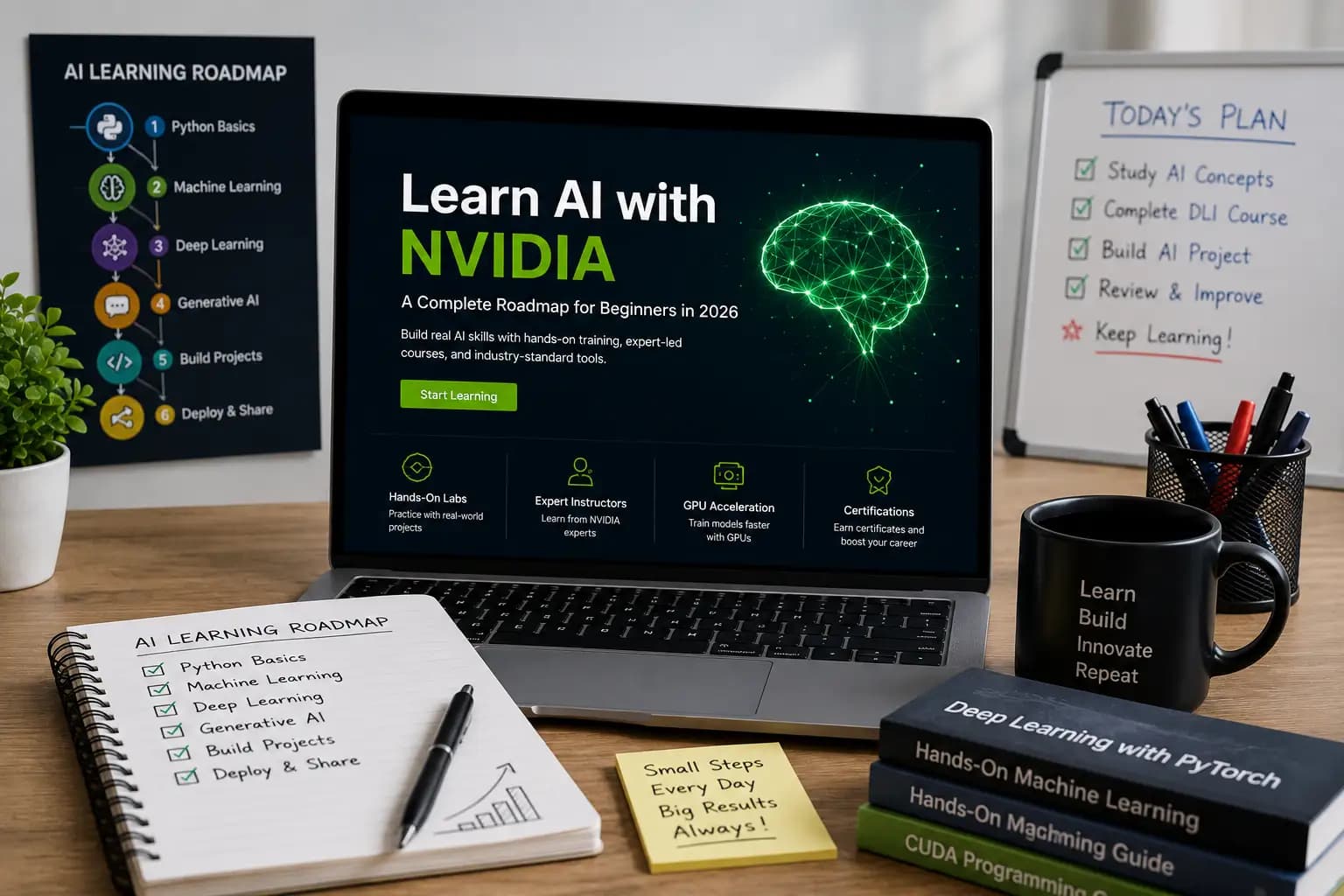
Watching a course and never building anything is the single most common way people waste months. After finishing a DLI module, pick a project and finish it:
Every one of these, done properly and pushed to GitHub with a real README, is worth more in an interview than a stack of certificates.
A Six-Month Path If You're Starting From Zero
1
Variables, functions, loops, classes, file handling. Don't rush this. Weak Python fundamentals show up as slow, buggy debugging later, not as an obvious gap now.
2
NumPy, Pandas, Matplotlib, scikit-learn. Build small prediction models on datasets you actually care about it's a lot easier to push through the boring parts when the problem interests you.
3
PyTorch or TensorFlow, CNNs, transfer learning. Finish one image classification project end to end, including a working demo, not just a Jupyter notebook that only runs on your machine.
4
Prompt engineering, LLM APIs, RAG pipelines, agent basics. Build a small AI assistant of your own something we've written about in more detail elsewhere on this blog.
5
Docker, FastAPI, NVIDIA NIM, cloud deployment. This is the month most self-taught learners skip, and it's the one that actually makes your projects usable by anyone other than you.
6
Publish to GitHub properly. Write about what you built and why certain decisions were made. Record a short demo video. Clean up your LinkedIn. Start applying.
Certificates vs. What Recruiters Actually Ask
We've sat on the hiring side of this. A stack of certificates tells us someone finished courses. It doesn't tell us if they can debug a model that's overfitting, explain a design decision, or ship something that runs outside their own laptop.
What we actually ask in interviews: What did you build? What broke, and how did you fix it? Can you walk me through your code? Five solid projects you can talk through in detail beat fifteen certificates you can't.
Mistakes That Cost People Months
Jumping straight into transformers and LLMs without ML fundamentals. You'll copy code that works but won't understand why it breaks the moment your data looks different.
Learning PyTorch, TensorFlow, and JAX all at once. Pick one, get comfortable, branch out later if you need to.
Watching without coding. I've done this myself spent a weekend on video after video and built exactly nothing. Time completely wasted.
Copying tutorial projects without changing anything. If you can't explain a line of code, you didn't learn it you transcribed it.
Skipping Git. Every real engineering team works this way. Learn it now, not during your first week on the job.
Building projects and never publishing them. A finished project sitting only on your laptop might as well not exist to a recruiter.
Is It Actually Worth It
For anyone serious about an AI-related career, yes the hands-on GPU environment alone solves a real problem, since most learners don't have easy access to that hardware otherwise. NVIDIA also updates the material fairly often to track what's actually being used in the field right now, rather than teaching techniques that were current three years ago.
That said, DLI isn't a substitute for building your own projects outside the course structure. Treat it as the training ground, not the whole gym.
Final Thoughts
AI has stopped being a specialty skill and turned into something closer to a baseline expectation across a growing number of roles. The people getting hired for it aren't the ones with the most certificates they're the ones who can point to something they built, explain the decisions behind it, and talk through what went wrong along the way.
Start with the fundamentals. Build the boring project before the impressive one. When your model works but runs too slowly to be useful and at some point, it will that's exactly when the accelerated computing material stops being optional and starts being the thing that gets you unstuck.
FAQ
Do I need a powerful GPU at home to use NVIDIA DLI?
No. The courses run in a cloud GPU environment provided as part of the course, so you don't need your own hardware to get through the hands-on labs.
Is NVIDIA DLI good for complete beginners, or does it assume prior experience?
There are fundamentals-level courses for people with no background, and progressively more advanced tracks for computer vision, generative AI, and accelerated computing as you build up experience.
How long did it take to see a real improvement using what we learned?
For the conveyor-belt project, it was two days from starting the TensorRT optimization work to hitting the frame rate the client needed but that was after already having a trained model in place. Getting to that starting point took weeks.
Are certificates from DLI actually valued by employers?
They help, but mostly as a supporting signal. What tends to matter more in interviews is being able to walk through a real project you built and explain the decisions behind it.
Read More in Learning & Upskilling
Best AI Skills to Learn in 2026: A Practical Roadmap for Students and Freshers
Discover the best AI skills to learn in 2026, with beginner-friendly career paths, practical project ideas, and a 90-day learning plan for students and freshers.
Read article →
Why Continuous Learning Is the Only Career Insurance You Need
Two engineers joined us the same month with nearly identical backgrounds. Eighteen months later, one leads our AI pipeline work and the other is doing the same tickets she started with. The gap wasn't ability. Here's what it actually was.
Read article →