
Time Blocking With AI: What Actually Happens When Your Calendar Gets Blown Up Mid-Morning
Chintan Poriya
Lead Career Editor & AI Research Director
Published: January 21, 2026
Table of Contents
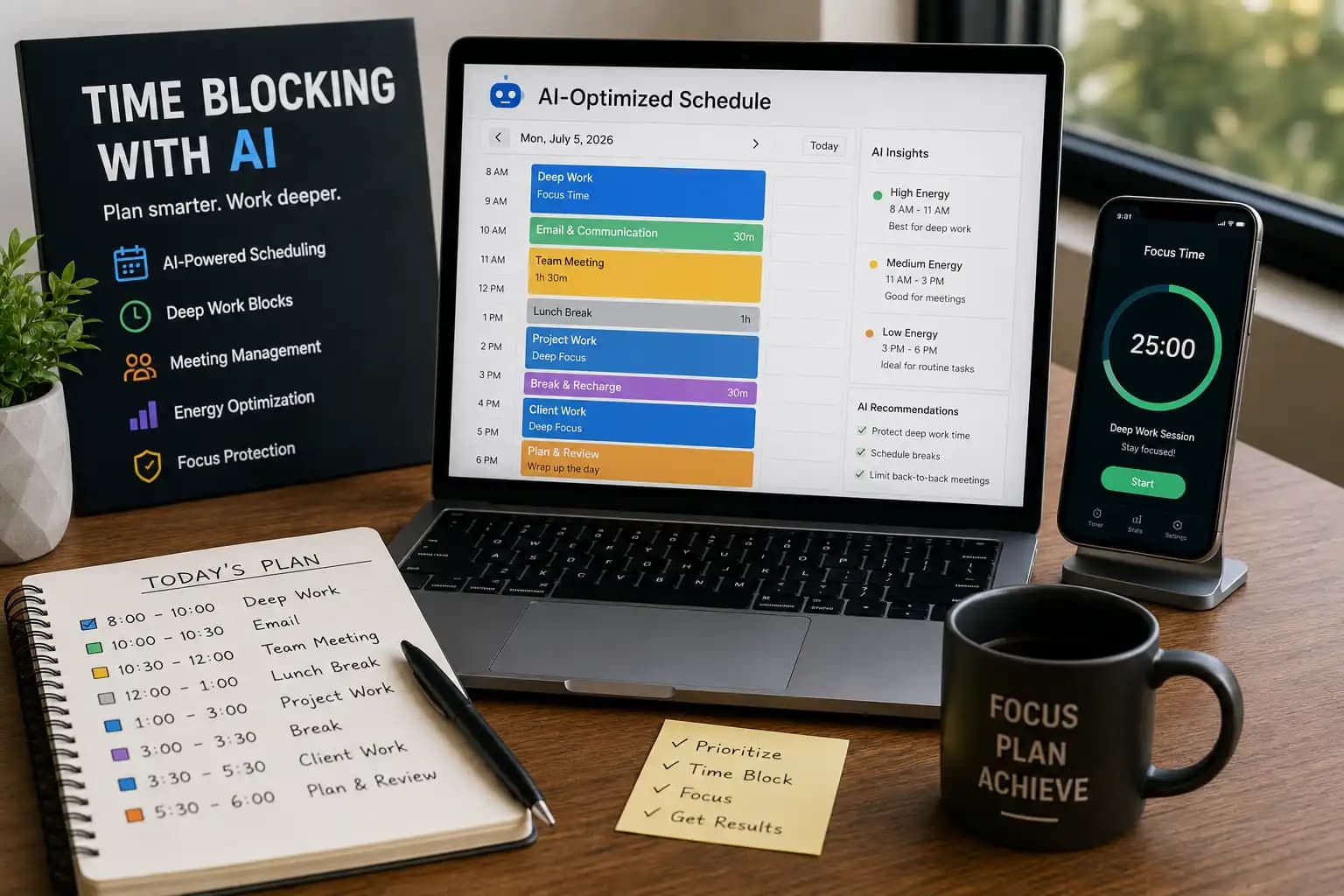
A client's server went down forty minutes into a two-hour block I'd protected for a product launch. Six months earlier, that would've wrecked the entire day every meeting after it shifting later, my deep work lost, and the evening spent untangling what got missed. This time, my calendar tool flagged the conflict, pushed two lower-priority meetings to the next day automatically, and rebuilt the rest of the afternoon around the fire I actually needed to put out. I lost the deep work block. I didn't lose the whole day.
That's the actual case for AI-assisted time blocking not that it makes your schedule perfect, but that it absorbs the chaos that used to cost you hours of manual rebuilding every time something real went wrong.
What Time Blocking Actually Is
Instead of working off a long, unranked to-do list, you assign specific hours to specific work. A rough version of my day looks like:
- 8:00-10:00 AM: Deep work
- 10:00-10:30 AM: Email
- 10:30 AM-12:00 PM: Meetings
- 1:00-3:00 PM: Project work
- 3:00-3:30 PM: Break and planning
- 3:30-5:30 PM: Client work
The structure itself does a lot of the heavy lifting deciding when something happens once, at the start of the day, instead of re-deciding it every time you glance at your task list.
Why Bring AI Into It
Manual time blocking works, but it breaks the moment reality doesn't cooperate a meeting runs long, a server goes down, a client calls with something urgent. Rebuilding the rest of the day by hand, every time that happens, is its own hidden productivity tax. AI-assisted scheduling tools handle exactly that: reprioritizing, protecting focus time, resolving conflicts, and adjusting automatically when the day inevitably doesn't go as planned.
Matching Work to Your Actual Energy
This part isn't AI-specific, but the tools work better once you've mapped it out. For me: mornings are for anything that needs real concentration debugging a workflow, writing, strategic planning. Afternoons handle meetings, client calls, and admin work reasonably well, since the concentration cost is lower. Evenings are for lighter review reading, learning, planning the next day. Your actual pattern might run differently; the point is figuring out your own before letting a tool schedule around it.
Step 1 List Everything, Not Just the Obvious Work
AI tools plan well only when they have the full picture. That means work projects and meetings, but also errands, exercise, learning time, and actual breaks. Leave out the personal stuff and you'll end up with a schedule that looks efficient on paper and collapses the first time real life needs a slot too.
Step 2 Separate What Actually Matters Today
Not everything on the list deserves equal weight. What has to happen today, what needs the most concentration, and what can genuinely wait most AI scheduling tools can rank this for you once you've tagged deadlines and rough effort estimates, but the initial sorting is worth doing yourself first so the tool isn't guessing.
Step 3 Put Deep Work on the Calendar First
Before meetings, before admin work block 60 to 120 minutes for the thing that actually needs your full attention, and treat it with the same seriousness as a client meeting. This is the block that got interrupted in the story above, and it's also the one worth protecting hardest, because it's usually the first thing that gets sacrificed when the day gets messy.
Step 4 Batch the Similar Stuff Together
Emails together, calls together, document review in one sitting. Every switch between different kinds of work costs more than it feels like it does in the moment batching is one of the simplest ways to cut that cost without changing anything else about your actual workload.
Step 5 Let the Tool Handle the Rebuild
This is where AI earns its place. When something breaks the plan and something always eventually does the tool moves lower-priority items, reshuffles meetings, and rebuilds focus blocks around what's left, instead of you doing that math by hand at 11 AM with a client already on the phone.
Tools Worth Actually Using
Motion
Builds your schedule automatically around deadlines and priorities closest to a fully automated version of this whole process.
Google Calendar
Not AI-native in the same way, but reliable for recurring blocks and integrates with almost everything else on this list. This is where the actual deep work protection happens for me day to day.
Notion AI
Useful for generating a daily plan alongside the rest of your notes and project tracking, so scheduling isn't disconnected from the actual work context.
Todoist
Handles the daily task list and recurring reminders well pairs naturally with a calendar tool rather than replacing one.
Clockwise
Specifically good at defragmenting a messy calendar clustering meetings and carving out real uninterrupted blocks from what's left.
Reclaim AI
Schedules habits and personal commitments alongside work automatically, which is the piece most people forget to protect until it's already been skipped for two weeks straight.
A Realistic AI-Assisted Day
- 7:00-8:00 AM: Morning routine, exercise
- 8:00-10:00 AM: Deep work on the highest-priority project
- 10:00-10:30 AM: Email and messages
- 10:30 AM-12:00 PM: Client meetings
- 12:00-1:00 PM: Lunch
- 1:00-3:00 PM: Project work and collaboration
- 3:00-3:30 PM: Break and replanning
- 3:30-5:30 PM: Remaining tasks, progress review
- 5:30-6:00 PM: Plan tomorrow
Not every day holds this shape exactly the server-down morning from the opening didn't but this is the baseline the AI tool rebuilds toward once the disruption's handled.
What Actually Makes Time Blocking Work
Put the most important work on the calendar first, not last. Leave real buffer between meetings instead of stacking them edge to edge. Turn off notifications during protected blocks not just silence, actually off. Skip multitasking, even when it feels productive in the moment. Review the schedule each evening instead of just reacting to whatever the next day throws at you. And let the AI tool handle the routine reshuffling so you're not spending twenty minutes rebuilding your afternoon by hand every time something shifts.
Where This Goes Wrong
Mistakes to Avoid
Scheduling every single minute with zero flexibility the first unexpected call blows up the plan completely.
Skipping breaks because the calendar looks "full enough" without them.
Accepting every meeting request by default instead of asking if it actually needs to be a meeting.
Constant task-switching despite having a blocked schedule sitting right there.
Never actually reviewing whether the system's working, letting a good calendar turn into a bad one.
Final Thoughts
Time blocking works because it removes the constant re-deciding that eats a surprising amount of a normal day. Adding AI on top doesn't make the plan perfect it makes the recovery faster when the plan inevitably breaks, which it will, probably before lunch on a bad day.
Start with two or three blocks a day for your actual highest-priority work. Let a tool handle the routine rescheduling once you trust it. The goal was never a fully packed calendar it's a day with real room for focused work, actual collaboration, and rest that isn't an afterthought.
FAQ
Do I need a paid AI scheduling tool, or do free versions work?
Google Calendar alone, used deliberately with real blocked time, covers most of what people need. The AI-specific tools like Motion or Clockwise add real value once your schedule gets genuinely complex multiple projects, frequent meeting conflicts, a team to coordinate around.
What happens when an AI tool reschedules something important without asking?
Most tools let you mark certain blocks as protected or non-negotiable, so they won't get auto-moved. Set that up for your actual deep work time and anything with a hard external deadline.
Is time blocking realistic for someone with an unpredictable schedule, like client-facing roles?
Yes, if you build in buffer time deliberately rather than scheduling every minute. The AI tools specifically help here they're built to absorb exactly this kind of disruption rather than assuming a perfectly predictable day.
How much of the day should actually be deep work versus everything else?
There's no universal number, but two focused blocks of 60 to 120 minutes is a realistic target for most people trying to protect more than that tends to collide with the meetings and communication that real jobs also require.
Written by Chintan Poriya, Marketing Head.
Read More in Productivity
The Productivity Myth: Why Busy People Aren't Always the Most Productive in 2026
One developer answered over a hundred Slack messages and sat through six meetings in a single week. Another blocked three hours each morning and finished the sprint's core deliverable two days early. Guess who got the bigger project next.
Read article →
Stop Overthinking: How to Take Action and Make Progress Every Day
I sat on the idea behind BytezBot for four months before writing a single line of code. Here's what that taught me about action over planning.
Read article →