How to Use AI Agents at Work in 2026: Practical Workflows, Tools, and Career Opportunities
Chintan Poriya
Founder, AdvizeU
Published: October 22, 2026
Table of Contents
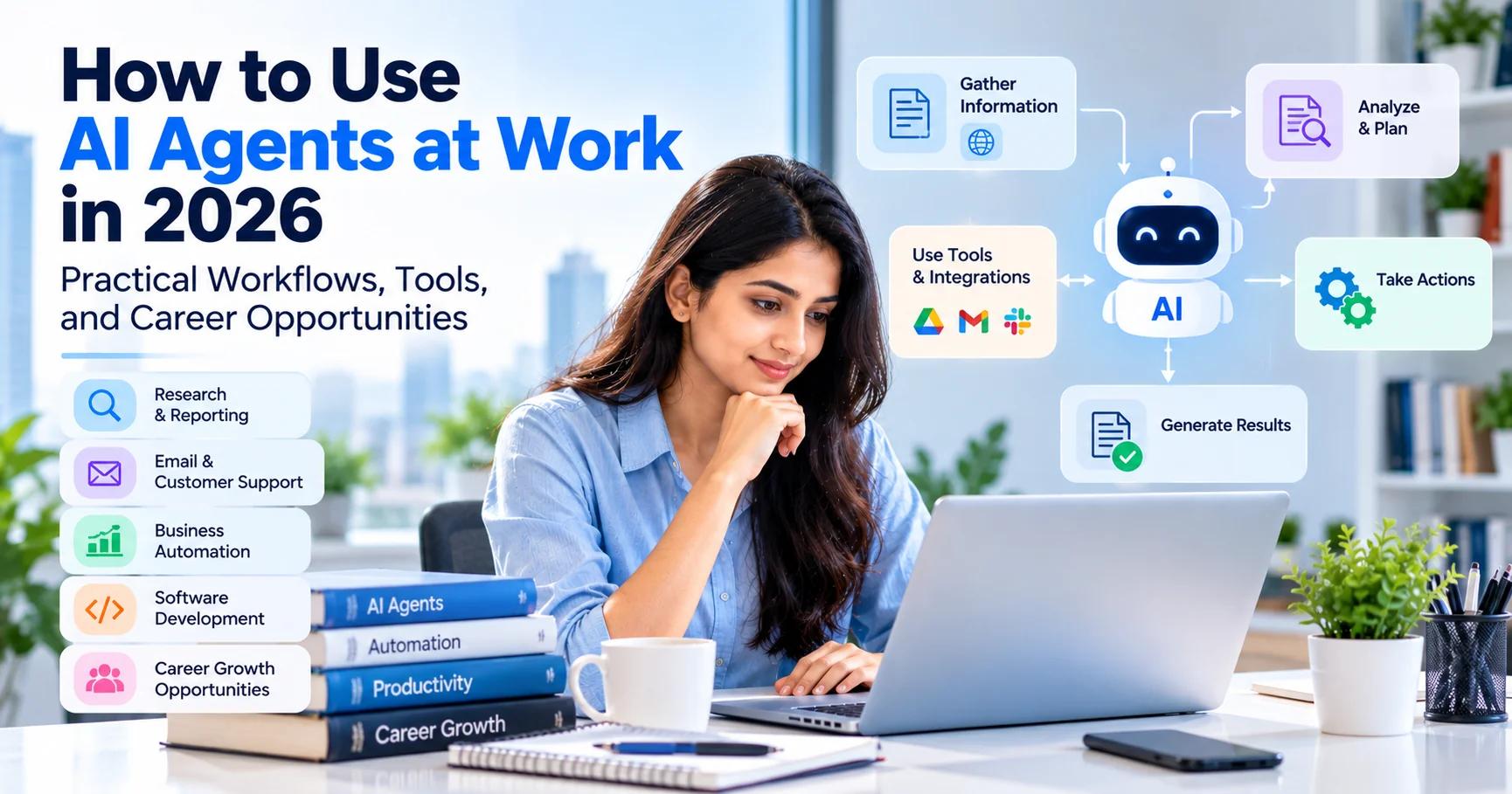
Imagine starting your workday with a list of tasks that normally takes two hours to complete: reviewing documents, collecting information, organizing emails, preparing a report, and updating your project tracker.
Now imagine an AI system helping with several of those steps: gathering approved information, preparing a first draft, organizing the results, and identifying tasks that need your attention.
This is the practical idea behind AI agents.
Unlike a basic chatbot that mainly responds to questions, an AI agent can use connected tools to work through multiple steps toward a defined goal. Depending on its permissions and design, it may retrieve information, call APIs, process documents, and prepare actions for approval.
In this guide, you will learn how AI agents work, where professionals can use them, which tools to consider, and how to start building useful workflows without giving an AI system unnecessary control.
1. What Are AI Agents?
An AI agent is a system that uses an AI model to interpret instructions, make decisions within a defined workflow, and use available tools to accomplish a task. The exact capabilities depend on the implementation: some agents perform a few simple actions, while others manage longer workflows involving several applications.
A Chatbot
You ask a question and receive an answer. You copy the result manually into another application and perform the remaining operational steps yourself.
Traditional Automation
A workflow follows rigid, predefined “if-then” rules. When a form is submitted, a script validates the fields and creates a database record.
An AI Agent
The system interprets unstructured requests, selects from permitted tools, executes multi-step actions, and evaluates whether further refinement is needed.
Consider a customer-support example: A traditional automation might route every message containing the word “refund” to a billing queue. An AI-assisted workflow might classify the customer's request, retrieve the relevant policy, and draft a response based on available data. A more capable agent could also update an authorized ticketing system, provided it has the required tools and permissions.
2. Why AI Agents Matter for Everyday Work
AI agents are attracting attention because many professional tasks involve more than generating a paragraph of text. A complete task often requires collecting information, checking it, transforming it, interacting with external applications, and producing a final result.
Enterprise Research & Work Trends
Microsoft's 2026 Work Trend Index highlights how organizations are redesigning operations around human-AI collaboration. OpenAI's agent guidance similarly emphasizes selecting specific use cases, connecting tools, and designing workflows with deterministic safety checks.
The goal should always be to improve the complete business process, not merely add AI to it.
3. Five Practical AI Agent Use Cases
Research and Report Preparation
An agent can accept a clearly defined research question, search approved sources, collect relevant articles, extract key claims with citations, and prepare a structured draft report flagging conflicting evidence.
Human safeguard: Always verify primary sources and confirm numbers before publishing conclusions.
Email and Customer Support
Customer support teams receive repetitive queries. An agent can classify requests, retrieve relevant documentation, and prepare suggested replies for human agents to review before dispatch.
Human safeguard: Consequential actions (refunds, password resets, account closures) must require explicit human authorization.
Job Search and Career Preparation
A career-support workflow can collect job postings, extract recurring skill requirements, compare them with your verified qualifications, and prepare custom mock interview questions.
Human safeguard: Never allow an agent to submit applications autonomously or fabricate experience.
Software Development & Code Maintenance
A controlled agent can inspect an issue ticket, locate relevant files, propose a fix in an isolated Git branch, run unit tests, and submit a pull request summary.
Human safeguard: Mandatory peer code reviews, CI checks, secret scanning, and manual merge approval.
Business Operations & Administration
In sales operations, an agent can extract requested services from incoming emails, categorize lead urgency, and prepare draft CRM records.
Human safeguard: Generate draft records first rather than granting write access to production databases.
4. Which Tools Should You Use to Build AI Agents?
There is no single best tool for every AI agent project. Your choice depends on workflow complexity, coding experience, and deployment requirements:
ChatGPT, Claude, Gemini
Best for: Ad-hoc research, drafting, summarization, and individual productivity. Requires minimal setup but lacks deep system integrations.
n8n, Make, Zapier
Best for: Connecting SaaS APIs and automating business processes without complex code. Provides clear visual execution logs and triggers.
OpenAI Agents SDK, LangGraph, CrewAI
Best for: Developers building multi-step logic, custom tool calling, state management, and multi-agent handoffs.
FastAPI + Python + Docker
Best for: Complete control over security, secrets, private network VPCs, custom rate limiters, and internal enterprise databases.
5. A Step-by-Step Example: Build an AI Research Assistant
Suppose a small company wants a weekly intelligence report about developments in its industry. Instead of starting with an overly complex multi-agent system, begin with a narrow, predictable workflow:
- Define the Task: Specify research questions, approved domains, date ranges, and strict output formats.
- Collect Information: Query approved search APIs or document indexes; record URLs, publication dates, and author sources.
- Extract & Organize: Group findings by theme; flag contradictory claims across different publications.
- Generate a Draft: Structure a report with executive summary, verified data points, and explicit open questions.
- Human Review: An expert reviews the draft, verifies key numbers against original sources, and approves distribution.
- Measure Performance: Track time saved, error rates, source quality, and user satisfaction to justify ongoing maintenance.
6. Security and Reliability: What Can Go Wrong?
Because AI agents can interact with external tools and databases, security and error handling are critical. A mistake in a text draft is an annoyance; an accidental database deletion or unauthorized email dispatch can be catastrophic.
🛑 Prompt Injection
External emails or documents may contain hidden malicious instructions. Treat all retrieved content as untrusted data; never allow external text to override agent system rules.
🛑 Excessive Permissions
Follow the principle of least privilege. Grant read-only access by default and restrict write/delete capabilities to authenticated human approvals.
🛑 Accidental or Repeated Actions
Timeouts can trigger duplicate API calls (e.g. charging a customer twice). Design idempotent actions and implement explicit user confirmation modals.
🛑 Data Privacy & Confidentiality
Never pipe customer personally identifiable information (PII) or API keys into third-party LLM endpoints without verified zero-retention enterprise agreements.
7. How to Measure Whether an AI Agent Is Useful
A successful demonstration does not prove that an agent improves a real business process. Imagine an agent that prepares a report in two minutes instead of twenty, but someone spends another twenty minutes fixing inaccuracies. The overall process is actually slower.
Key Metrics to Track:
- Total Cycle Time: Time to generate plus time spent reviewing and editing.
- First-Pass Acceptance Rate: Percentage of drafts accepted without significant rework.
- Error & Hallucination Frequency: Count of factual errors caught during review.
- Cost Per Successful Task: Combined token cost, tool API fees, and compute expenses.
- Human Escalation Rate: Frequency of cases requiring manual intervention.
8. A 30-Day Plan to Start Learning AI Agents
You do not need to build a complex autonomous swarm on your first attempt. Use this structured four-week roadmap:
Deconstruct the Task
Understand the difference between chatbots, rules, and agents. Pick one low-risk, repetitive task and map its step-by-step logic.
Connect One or Two Tools
Use n8n or Python to connect an LLM to a single data source. Test that the agent parses inputs and produces structured outputs.
Add Testing & Boundaries
Test edge cases, missing data, and malicious prompt injections. Add logging, output schema validation, and human review gates.
Build a Case Study
Compare prototype performance against the manual process. Document trade-offs, compute costs, and lessons learned into a portfolio case study.
9. How AI Agents Can Support Your Career
Learning to build and evaluate AI workflows provides a distinct advantage across modern professional roles:
- For Software Developers: Focus on API tool calling, retrieval-augmented generation, rate limiting, and automated evaluation frameworks.
- For Business Analysts & Ops Managers: Focus on process mapping, visual orchestration (n8n/Make), and measuring ROI.
- For Freelancers: Package reliable, narrow automations that solve concrete business bottlenecks rather than pitching vague “AI magic.”
Conclusion: Start Narrow with Limited Permissions
AI agents offer a practical way to connect artificial intelligence with everyday workflows. The best starting point is not an overly ambitious system that tries to run an entire business. It is a small, well-defined task with clear success criteria and limited permissions.
Build a simple workflow, test it against real-world inputs, measure the results, and add autonomy only when you have clear evidence that it is safe and useful.
Explore AdvizeU AI Career & Productivity Tools
Practice structuring prompts for agentic systems, optimize your resume for automated applicant tracking, and analyze target job descriptions for in-demand AI competencies.
Frequently Asked Questions
What is an AI agent in simple terms?
An AI agent is a system that uses an AI model and available tools to work through steps toward a defined goal. Its actual level of independence depends on its design and permissions.
How are AI agents different from chatbots?
A basic chatbot mainly responds to requests. An agent can also use tools, perform actions, and continue through multiple steps. Some products combine both experiences.
Which tools are best for beginners?
Start with an AI assistant or a workflow automation platform. If you need custom behavior, integrations, or greater control, consider an agent development framework or a custom API-based application.
Can small businesses benefit from AI agents?
Yes, particularly when they have repeatable tasks such as document classification, report preparation, or customer inquiry processing. Start with a narrow use case and measure the results.
Are AI agents safe to use?
They can be designed with safeguards, but no system should be assumed to be completely reliable. Limit permissions, protect sensitive information, test failure cases, and require approval for consequential actions.
Do AI agents replace traditional automation?
Not necessarily. Traditional automation is often better for predictable tasks with fixed rules. AI agents can be useful when a workflow requires interpreting unstructured information or making context-dependent choices.
Do I need programming skills to build AI agents?
Not always. Visual workflow platforms can support some agent-based projects without extensive coding. Programming becomes more useful when you need custom integrations, complex logic, testing, or production deployment.
Further Reading and Authoritative Guidance
- 1.OpenAI: A Practical Guide to Building AI Agents. openai.com/business/guides-and-resources/a-practical-guide-to-building-ai-agents
- 2.OpenAI Developers: Learning Resources for Agents. developers.openai.com/learn/agents
- 3.Google Cloud Architecture Center: What Are Agentic Workflows? cloud.google.com/discover/agentic-workflows
- 4.Microsoft WorkLab: 2026 Work Trend Index. microsoft.com/en-us/worklab/work-trend-index
Read More in AI Tools for Work
AI Agents Are Getting Access to Your Business: Why Identity Security Matters in 2026
One of our own automations was wired to a single API key meant only to check order status. A routine review found that same key could also delete listings and issue refunds. Nothing went wrong, but it easily could have.
Read article →
AI Observability in 2026: The Hidden Skill Behind Reliable AI Applications
Every dashboard for our support chatbot showed green, uptime, CPU, response time, all fine. Customers kept saying it gave wrong answers anyway. The real problem was three steps upstream, and nothing we were tracking could see it.
Read article →